
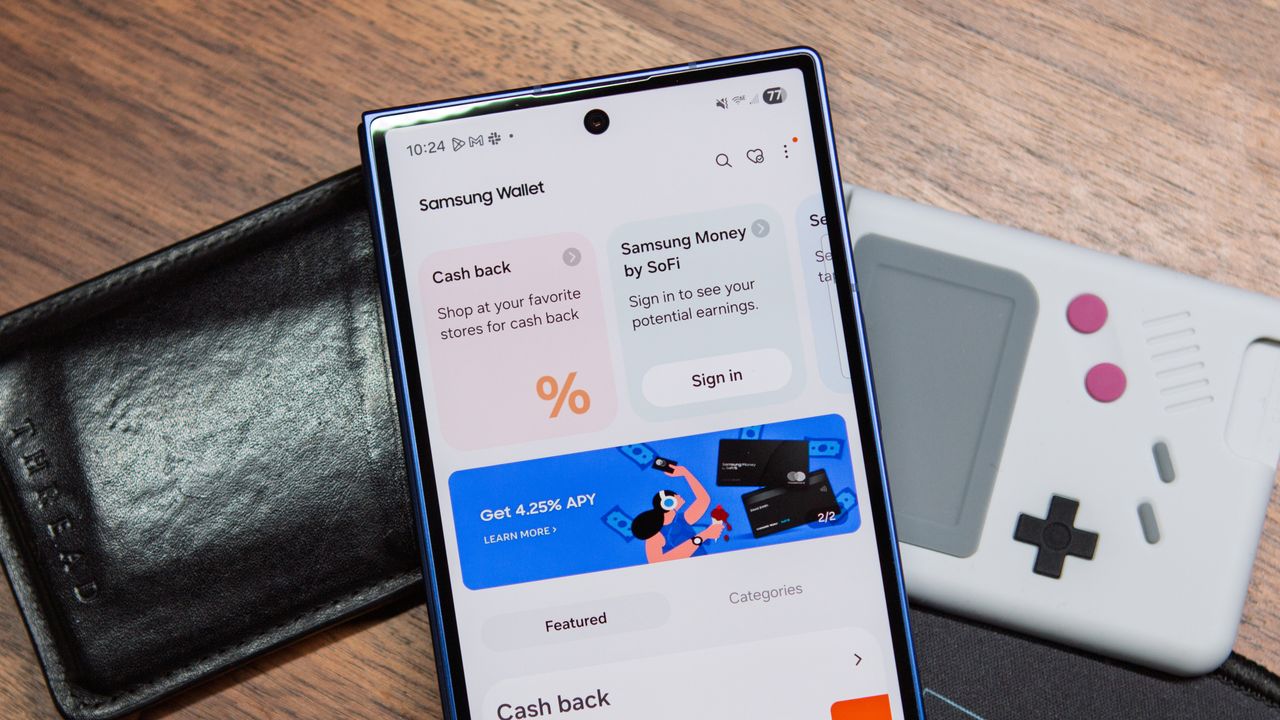
Samsung Wallet Can Now Store Your Passport — But Should You Rely on It?
Your physical wallet has held your cards, your loyalty programs, and your transit passes for years. Now, Samsung wants it to hold something far more significant: your passport. Samsung Wallet's expanded digital ID capabilities mark a genuine leap forward in how we think about identity verification on the go. But before you leave your physical documents at home, there's quite a bit you need to understand about where this technology actually works — and where it still falls embarrassingly short.
What Is Samsung Wallet's Digital ID Feature?
Samsung Wallet is the company's all-in-one digital wallet app, available on Galaxy smartphones and smartwatches. Beyond storing credit cards and boarding passes, it now supports digital identity documents, including driver's licenses, state IDs, and — most notably — passport cards and travel documents verified through the U.S. government's mobile driver's license (mDL) infrastructure.
The digital passport feature works by storing a cryptographically secure, verifiable version of your identity credentials directly on your Samsung device. Rather than displaying a simple image of your passport, the system uses encrypted data that authorized readers can verify in real time, making it significantly harder to forge than a photo on a screen.
Samsung partnered with Idemia and works within frameworks established by the Transportation Security Administration (TSA) and participating state governments to bring this functionality to life. The underlying standard — ISO/IEC 18013-5 — ensures that the credential can be read by compliant terminals at supported locations.
Where Samsung Wallet Digital ID Currently Works
TSA Checkpoints at Select Airports
The most headline-grabbing use case is airport security. The TSA has been rolling out identity verification technology at select airports across the United States that can read mobile driver's licenses and digital IDs from compatible wallets, including Samsung Wallet and Apple Wallet. As of 2025, dozens of major airports participate in the program, including those in states like Arizona, Colorado, Georgia, Maryland, and several others.
At supported checkpoints, you simply present your Samsung Galaxy device to the reader rather than handing over a physical card. The reader scans your encrypted credentials wirelessly, and you're on your way — no fumbling through your bag for a plastic card. It's a genuinely smooth experience when it works.
Participating U.S. States
Digital ID support in Samsung Wallet is tied directly to which states have adopted mobile driver's license programs. States including Arizona, Colorado, Georgia, Hawaii, Iowa, Kentucky, Maryland, Mississippi, Ohio, Oklahoma, and Utah have been among the early adopters, with more states actively developing their own programs. If your state is on the supported list, you can add your driver's license or state ID to Samsung Wallet through a verified enrollment process that typically involves scanning your physical ID and completing a selfie-based identity check.
Age Verification and Retail Scenarios
Some retailers and venues that require age verification are beginning to accept mobile IDs, though adoption at this level remains inconsistent. Certain alcohol retailers, cannabis dispensaries in legal states, and entertainment venues have started piloting mobile ID readers. However, staff training and reader availability vary enormously, meaning your mileage will genuinely depend on the specific location you visit.
Where Samsung Wallet Digital ID Does NOT Work
International Travel
This is the most important limitation to understand: a digital passport stored in Samsung Wallet does not replace a physical passport for international travel. Border agencies in foreign countries are not equipped to read mobile credentials from a Samsung device, and international law still requires a physical, machine-readable travel document for entry and exit. If you're boarding an international flight, your physical passport is still non-negotiable.
Most Domestic Contexts Outside Airports
Despite the excitement around digital IDs, the vast majority of everyday scenarios — traffic stops, hotel check-ins, bar entrances, car rentals, and government office visits — still require or strongly prefer a physical ID. Law enforcement in most jurisdictions is not yet equipped or legally authorized to accept mobile driver's licenses as a sole form of identification during a stop, though some states are working to change this.
States Without mDL Programs
If you live in a state that hasn't launched a mobile driver's license program, you simply cannot add your ID to Samsung Wallet at all. There is no workaround. Your state's DMV must be a participating issuer for the feature to be available to you.
How to Set Up Your Digital ID in Samsung Wallet
If you live in a supported state and want to get started, the process is relatively straightforward. Open Samsung Wallet on your Galaxy device, tap the option to add an ID, and select your state from the list. You'll be prompted to photograph the front and back of your physical ID and complete a liveness check with your device's front camera. After submission, your state's DMV reviews and approves the credential — a process that can take anywhere from a few minutes to a couple of days.
Once approved, your digital ID lives securely in Samsung Wallet, protected by your device's biometric authentication. You'll need to unlock your phone with your fingerprint or face before presenting the credential, adding an important layer of security.
Is Samsung Wallet's Digital Passport Worth Using?
For domestic travelers flying out of supported airports in participating states, Samsung Wallet's digital ID is a genuinely convenient upgrade. It's faster, harder to lose, and impressively secure. But it is absolutely not a replacement for your physical passport or even your physical driver's license in most daily situations — not yet.
The technology is real, the infrastructure is growing, and the future it points toward is compelling. For now, the smart move is to use your digital ID as a supplement to your physical documents, not a substitute for them. Keep your passport in your bag, add your digital ID to your wallet, and enjoy the moments where the two worlds finally overlap seamlessly.