
Why Android's Default Notification System Isn't Enough
Android has come a long way in helping users manage the relentless flood of notifications that modern smartphones generate. On a Pixel device especially, Google's native tools let you pause, organize, and silence alerts on a per-app basis. On the surface, that sounds like plenty. But anyone who has ever woken up at 2 a.m. to a buzz from a food delivery app knows the truth: the default system is reactive, not intelligent. It responds to your settings, but it doesn't actually think about context. That's exactly the gap that Buzzkill was built to fill.
If you've been living with Android's built-in notification manager and wondering why your phone still feels like it's running the show, this article is for you. We'll break down what Buzzkill does differently, why it's worth switching, and how it can transform your daily experience with your Android device.
What Is Buzzkill and How Does It Work?
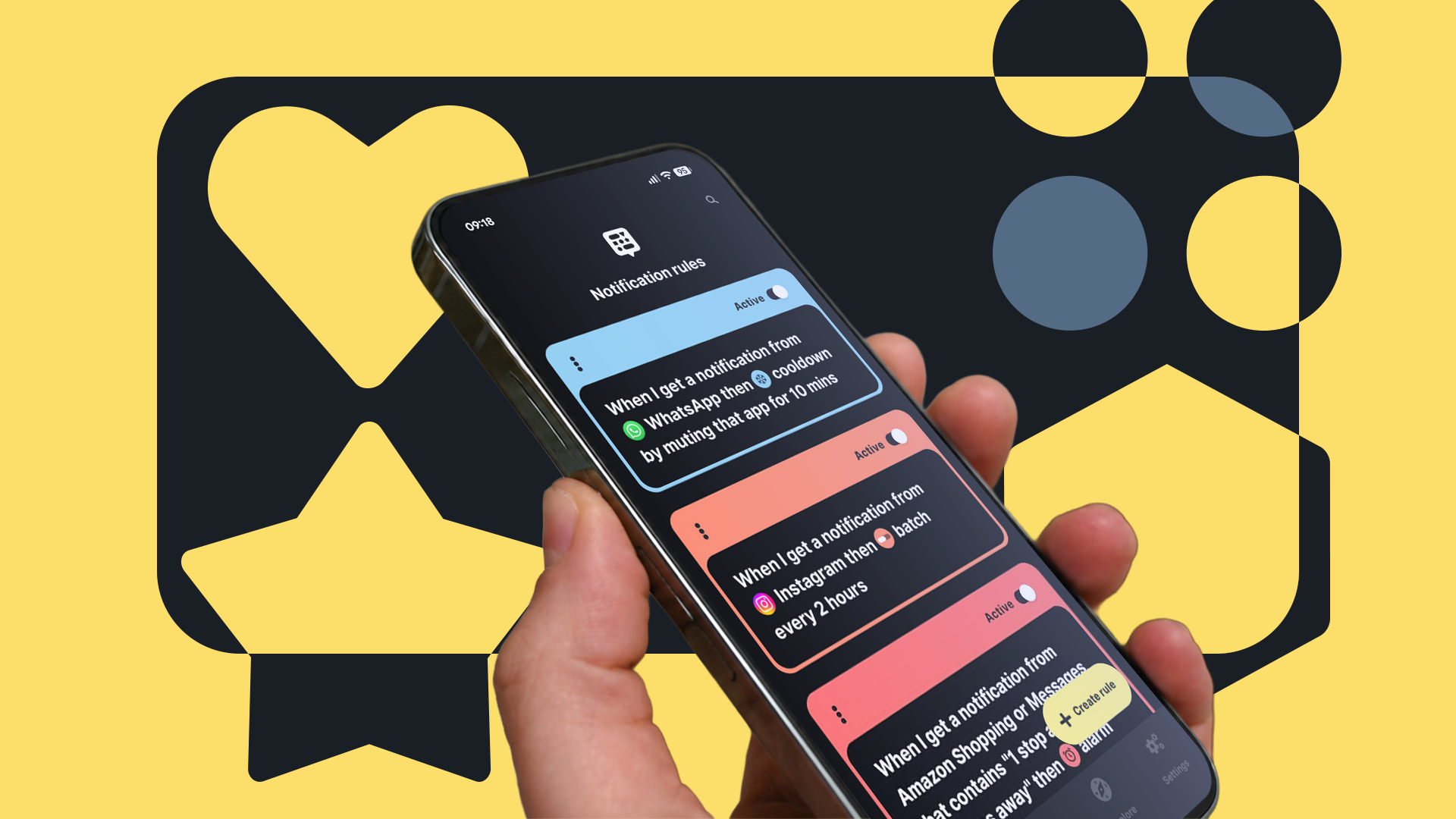
Buzzkill is a third-party Android notification management app designed to give users granular, rule-based control over every notification their phone receives. Rather than simply toggling notifications on or off at the app level, Buzzkill lets you create detailed conditions that determine how, when, and whether a notification ever reaches you.
Think of it less like a filter and more like a smart assistant that has learned your preferences. You can set rules based on time of day, the content of a notification, the specific app sending it, whether your phone is charging, your current Do Not Disturb status, and much more. The result is a notification experience that feels eerily tailored — because it genuinely is.
Key Features That Set Buzzkill Apart
- Rule-based filtering: Create custom rules that trigger actions based on notification content, app source, or device state. For example, silence all notifications except phone calls after 10 p.m.
- Keyword matching: Buzzkill can scan the text of incoming notifications and react based on specific words. A notification containing "urgent" from your boss can ring through while a promotional email from a retailer gets silenced automatically.
- Snooze and delay options: Instead of dismissing a notification and forgetting it, you can snooze it to reappear at a more convenient time.
- Per-contact rules: Go beyond per-app settings and create rules for specific senders within an app, such as allowing messages from one contact in a group chat app while muting everyone else.
- Logging and history: Buzzkill keeps a record of blocked or modified notifications, so nothing important ever truly disappears without a trace.
The Problem With Android's Built-In Notification Manager
To be fair, Google has made significant improvements to Android's notification infrastructure over recent years. Features like notification channels, bundled alerts, and adaptive notification suggestions have all moved the needle. On Pixel phones in particular, the integration between hardware and software means these tools work smoothly.
But the fundamental limitation remains: Android's system operates at a binary level. An app's notifications are either allowed or they aren't. You can set quiet periods globally through Do Not Disturb, but creating nuanced rules — like "only let through notifications from this app if the message contains my name" — is simply not possible natively.
This matters more than it might seem at first. The average smartphone user receives dozens of notifications per day. Research consistently shows that notification overload contributes to stress, reduced focus, and even anxiety. The inability to create intelligent, context-aware rules means that users are left either drowning in alerts or missing important ones because they've silenced too broadly.
Real-World Scenarios Where Buzzkill Shines
It's one thing to describe features in the abstract. It's another to see how they play out in everyday life. Here are a few scenarios where Buzzkill delivers what Android's default manager simply cannot.
The Sleep-Sensitive Professional
You need to be reachable for genuine emergencies overnight, but you're tired of social media pings waking you up at midnight. With Buzzkill, you set a rule that silences everything between 11 p.m. and 7 a.m. except direct phone calls from contacts saved in your phone. No more fumbling with Do Not Disturb exceptions that let too much or too little through.
The Group Chat Survivor
Group chats are one of the most common notification sources people complain about. Buzzkill lets you mute a messaging app entirely while still allowing notifications if your name or a keyword like "meeting" appears in the message. This level of intelligence simply doesn't exist in native Android tools.
The Focus-Oriented Remote Worker
During deep work hours, all non-essential notifications can be silenced automatically. Buzzkill detects when Do Not Disturb is active and applies its own layered rules on top, ensuring your workflow isn't broken by a random app update notification or a promotional push from a shopping app.
Making the Switch: Is Buzzkill Right for You?
Buzzkill is available on the Google Play Store and requires Notification Access permission to function — a standard requirement for any app that manages or reads notifications. It operates without needing root access, making it accessible to the vast majority of Android users regardless of their technical comfort level.
There is a free version with limited rule creation, and a paid version that unlocks the full suite of features. For most users who are serious about reclaiming their attention and building a healthier relationship with their phone, the paid version is absolutely worth the investment.
Final Thoughts: Your Phone Should Work for You
Switching from Android's default notification manager to Buzzkill isn't just a technical upgrade — it's a philosophical one. It represents a shift from passively accepting whatever your apps decide to throw at you, to actively curating the information environment that exists on your most personal device.
Android's built-in tools are adequate. Buzzkill is exceptional. If your notification shade still feels like an ominous inbox rather than a calm, organized space, it's time to make the switch. Your focus, your sleep, and your sanity will thank you.